


Party Trivia! Group Quiz Game
2.910.00 Reviews
App Specs
- Version
- 2.1.3
- Updated On
- License
- Free
- Downloads
- 100,000+
- Developer
- Vanilla b.v.
- Categories
- Trivia
- Platform
- Android
Screenshots
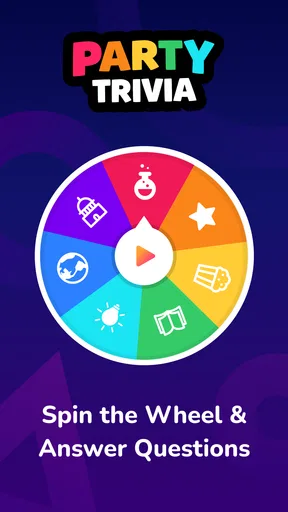
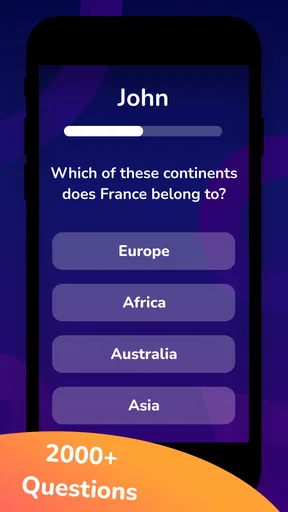
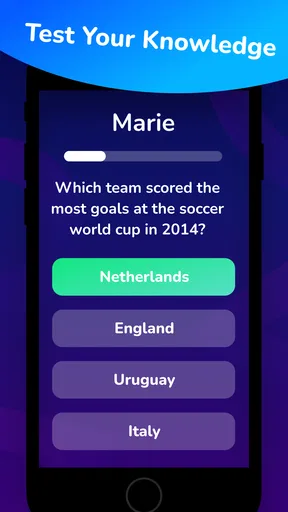
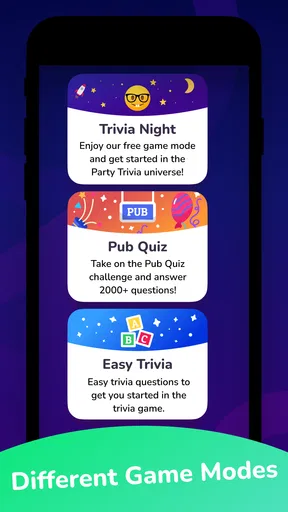
 Analysis by AppCompare
When a gathering has a quiet patch, a shared quiz can give everyone something to react to without asking the host to invent an activity on the spot. I like the idea behind Party Trivia! Group Quiz Game: instead of passing around a phone to play alone, the point is to turn questions into a conversation among the people already in the room. It is a free trivia game from Vanilla b.v., rated for everyone, and its focus on group play makes it a better fit for a casual get-together than for someone seeking a deep solo quiz experience.
Start with the group, not the score
The most useful way to bring this game out is to treat it as an invitation rather than a scheduled event. At a family dinner, for instance, I would wait until the table has finished eating and conversation starts to fade, then ask whether people want to try a few questions. That small choice matters: not everybody wants to compete, and a trivia round works best when joining in feels optional rather than like a test.
It also helps to agree on the mood before starting. Some groups enjoy debating an answer as much as getting it right; others would rather keep a brisk pace. A relaxed approach lets people talk through their guesses and keeps less confident players involved. For a mixed-age group, I would make room for older and younger guests to answer together, rather than letting the quickest person take every turn.
What the question rhythm can do
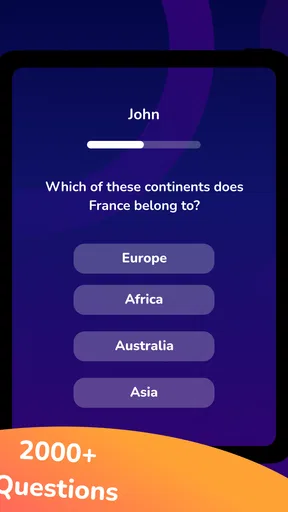
A good party quiz has a simple social rhythm: someone hears a question, people make guesses, an answer gives the group something to celebrate or dispute, and the next question keeps the momentum moving. The appeal is not just testing what each person knows. A question can prompt a story, reveal an unexpected interest, or give two people who have just met an easy way into a conversation.
The range of difficulty described in the game’s presentation suggests a useful way to manage that rhythm: avoid turning every answer into a serious contest. Let players guess aloud, offer hints among themselves, or celebrate a clever near-miss. That works especially well when one or two people know a lot about a subject and others are there mainly for company. The trade-off is that a group that wants strict, fast scoring may find conversation slows the game down.
There is one practical wrinkle to keep in mind across repeated rounds: questions can repeat during a longer session. If the same people are keen to keep playing, I would make the rounds shorter and switch activities before familiar prompts begin to flatten the surprise. A brief quiz between dinner and a board game can feel fresher than trying to make trivia carry an entire evening.
Choosing the right occasion
This is most appealing when the group is already together and needs a shared prompt. It can suit a casual living-room gathering, a family visit, or a low-key evening with friends who enjoy answering questions out loud. The game’s broad, party-oriented framing makes it easier to offer to people with different interests than a narrowly themed quiz would be, though that does not mean every guest will want to play.
Worth Reading Before You Choose

Flipboard Shows What News Apps Must Do Beyond the Feed

Switching to Android Auto Means Rethinking Your Driving Routine

Google Calendar Makes a Crowded Week Easier to Manage

Ludo King Makes the Most of the Minutes Between Plans

Baby Panda World Brings Quick Play to Modern Phones, but Its Game Library Feels Busy

ESPN’s Live Game View Makes Following Close Games Easier
I would be more cautious about using it as the main event for a large, noisy party. A phone-based quiz needs people to pay attention to the questions, and a lively room can make that difficult. For a big group, teams can give quieter guests a way to contribute without putting each person on the spot. For a small group that prefers individual turns, teams may feel unnecessary, so it is worth matching the format to the people rather than assuming one approach suits every gathering.
How it sits beside other trivia options
Compared with a traditional quiz book, an app is easier to bring into an informal moment: there is no need to prepare a stack of questions or have one guest act as quizmaster from memory. Compared with a solo trivia game, the group angle is the more relevant distinction here. The strongest reason to choose this one is the possibility of using questions as a shared activity, not a promise that it will replace every party game or satisfy a dedicated trivia player.
If your friends already love games built around bluffing, drawing, or personal stories, those may produce more interaction because their central task asks players to create something together. Trivia gives the group a common question and a clear answer to react to, which can be easier to start but can also leave less room for personal input. I would pick it when the guests enjoy general knowledge or friendly guessing, and choose a more creative party game when the group would rather perform, improvise, or tell stories.
The Ultimate Icebreaker
Picture this: you’re at a party, and things are starting to lull. You whip out your phone, suggest a round of Party Trivia! Group Quiz Game, and suddenly everyone’s engaged, laughing, and competing. It's like having a pocket-sized trivia master that caters to all ages and interests. Whether you’re a movie buff, a history enthusiast, or someone who knows what year the internet was invented, there’s something for you.
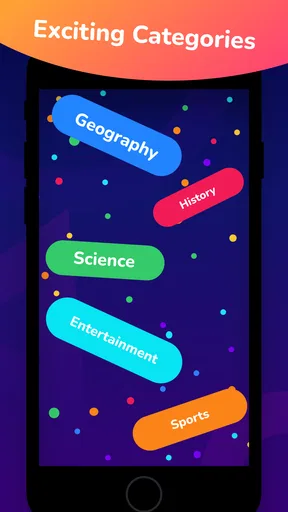
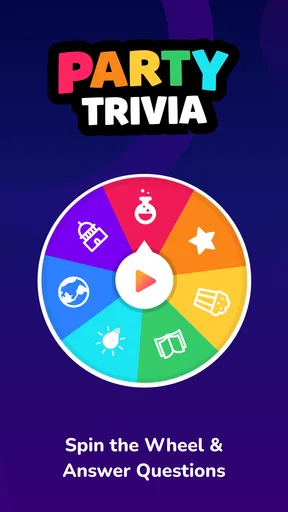
The app boasts a variety of categories, and the questions range from hilariously easy to brain-bustingly hard. This dynamic mix keeps everyone on their toes and guarantees that no one gets bored. Plus, the app updates regularly, so you’re always getting fresh content.
Easy to Use, Hard to Put Down
One of the first things I noticed about the app is its user-friendly interface. From downloading to jumping into a game, it’s all smooth sailing. You can play with friends in the same room or connect with others online, making it versatile for any situation. Setting up a game is as simple as picking a category and choosing the number of players. Then, it’s game on!
The app’s design is bright and inviting, with intuitive controls that even the least tech-savvy among us can navigate. Plus, the sound effects and animations add a nice touch, ramping up the excitement as you play.
Great for Any Occasion
Whether you’re hosting a casual hangout or a more formal gathering, this app fits right in. I’ve tried it at family dinners, during a night out with friends, and even during virtual hangouts. Each time, it’s been a hit. It bridges gaps between generations and interests, making it a universal crowd-pleaser.
The app also features a team mode, which is perfect for larger groups. Divide your guests into teams and watch the competitive spirit come alive. It’s a great way to break the ice and bring people together.
Keeping a Round Moving
For the best result, I would decide in advance whether the group wants to play casually or keep score closely. If guests are still arriving or food is being served, a loose round lets people join the conversation without needing to follow every turn. If everyone is ready to focus, teams can make the answers feel more collaborative and reduce the pressure on anyone who does not want to guess alone.
One useful habit is to pause after an answer that sparks a story, then move on once the conversation has run its course. That keeps trivia from becoming a mechanical stream of prompts while also preventing one debate from taking over the whole evening. It is a small hosting choice, but it changes whether the game feels like a social aid or a rigid quiz.
Room for Improvement
While the app is a blast, there are a few tweaks that could make it even better. For instance, sometimes the questions can repeat if you’re playing multiple rounds in one session. An update to ensure a wider variety of questions in a single game would be welcomed.
Additionally, some users might appreciate a feature where they can create their own custom trivia questions. This could add a personal touch and increase the replayability of the game.
Before You Install
The game is free to download, but it includes optional in-app purchases priced from $4.99 to $9.99 per item. I would keep that in mind if you prefer games with no paid extras at all, and check the purchase choices before handing a device to a child. Its Everyone age rating makes it broadly suitable, but the best experience still depends on choosing a setting and group that are comfortable with a competitive quiz.
It has a 3.0 average from 223 ratings, with 9 written reviews, and has passed 100K installs. Those figures are a reason to approach it with measured expectations rather than assume it will be a perfect fit for every party. The current version is 2.1.3, and it requires Android 7.0 or later. If you are deciding whether it suits your group, the more important question is whether your guests enjoy answering general-knowledge prompts together; no rating can answer that for you.
One common concern with any group quiz is whether everyone needs to be equally knowledgeable. I would not make that a requirement here: the activity can work when players treat uncertain answers as part of the fun and let teams pool what they know. If your group dislikes being put on the spot, though, a game based on discussion or shared storytelling is likely a kinder choice.
Final Thoughts
Overall, Party Trivia! Group Quiz Game is a fantastic addition to any social gathering. It’s easy to use, endlessly entertaining, and it brings people together in a way that few apps can. Whether you’re a trivia newbie or a seasoned quizzer, you’ll find something to love here.
So next time you’re planning a get-together, remember to download this app. It might just be the secret ingredient for turning a good party into a great one. Happy quizzing!
When I Would Reach for It
I would choose this game when the group needs a simple shared activity that can start and stop without much ceremony. It is less suited to a quiet solo commute, a crowd that wants elaborate rules, or a gathering where people would rather talk freely than focus on questions. The best use is modest: bring it out for a few rounds, see whether the group catches the rhythm, and be ready to switch to conversation or another game when attention moves on.
That flexible role is also the loop’s main strength. A question gives everyone a prompt; guesses and reactions supply the feedback; a correct answer or amusing miss gives the round its small reward; then the next question offers a clean reset. Another session makes sense when the people around you still want that exchange, not simply because the app is asking for more play. For a free party trivia option, I find that a sensible reason to keep it handy, provided the group enjoys quizzes and is comfortable with the occasional repeated question.
Pros
- Engaging questions keep the game lively.
- Supports multiple players for group fun.
- Easy to navigate interface.
- Variety of categories to choose from.
- Quick setup for immediate play.
Cons
- Ads can be intrusive at times.
- Limited free question packs.
- No offline mode available.
- Occasional connectivity issues.
- Some questions may repeat frequently.
FAQs for Party Trivia! Group Quiz Game
What is Party Trivia! Group Quiz Game?
Party Trivia! Group Quiz Game is an engaging app designed to bring fun and excitement to social gatherings. It offers a wide range of trivia questions across various categories, making it perfect for parties or casual get-togethers. The game supports multiple players, allowing everyone to participate and enjoy the challenge.
How do I play Party Trivia! Group Quiz Game?
To play Party Trivia! Group Quiz Game, players take turns answering trivia questions from selected categories. You can choose different modes, such as timed challenges or casual play. The app keeps track of scores, and the player with the most points at the end of the game wins. It's simple, interactive, and fun!
Is Party Trivia! suitable for all age groups?
Yes, Party Trivia! Group Quiz Game is designed to be family-friendly and suitable for all age groups. It features questions that range from easy to challenging. Parents can rest assured that the content is appropriate, and everyone from kids to adults can enjoy and participate in the trivia fun.
Does Party Trivia! require an internet connection to play?
Party Trivia! Group Quiz Game can be played both online and offline. While an internet connection enhances the experience with additional features and content updates, the offline mode allows you to enjoy the game anywhere, making it perfect for travel or places with limited connectivity.
Are there any in-app purchases or ads in Party Trivia!?
Party Trivia! Group Quiz Game includes optional in-app purchases to unlock additional content or remove ads. While the basic version of the game is free, these purchases can enhance your experience. Advertisements are present in the free version, but they are not intrusive and do not disrupt gameplay.


